
Custom CRM Software for Streamlined Sales Operations
Build deal logging pipelines and follow up alerts tailored to your sales workflows.
Quick Answer: What is a custom CRM solution?
A custom CRM (Customer Relationship Management) system is a bespoke sales database engineered to fit your specific customer intake steps. It unifies incoming leads, call logs, proposal files, and follow-up tasks into one portal, removing monthly per-user licensing costs and rigid fields common in ready-made software.
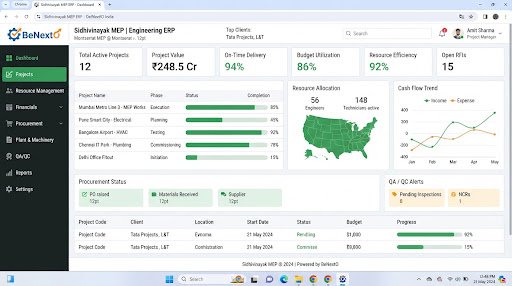
Operational Landscape Overview
Who Needs This System?
Sales divisions losing deals due to forgotten follow-up tasks
Businesses storing lead profiles across separate mobile apps and local sheets
SMEs with high subscription fees from commercial CRMs
Firms requiring client status histories to coordinate support teams
Common Issues Resolved
Scattered Customer Logs
Interaction histories and files are split across personal emails and sheets, leaving reps without context.
Inconsistent Sales Pipeline
No unified staging board exists, preventing management from predicting team sales results accurately.
High Licensing Overhead
Paying per-user monthly SaaS fees limits database access for operations and backend support staff.
Functional System Modules
To match your operational requirements, possible modules we can engineer include:
Lead Funnel Optimization
Logs incoming requests and routes deals automatically to active sales agents.
- Inbound form capture
- Automated scoring rules
- Lead assignment alerts
Client Interaction Logging
Logs call records, email notes, and document files directly under client profiles.
- Email integration syncs
- Activity history boards
- Meeting planners
Example System Workflow
Intake Lead
System captures lead details from contact forms.
Route Lead
System assigns lead automatically to active sales personnel based on category.
Record Contact
Representative logs discovery call details in customer history.
Send Proposal
Representative uploads proposal PDF, updating status to quoted.
Close Sale
Deal moves to won, automatically generating onboarding file.
* Note: Workflows are configured and customized strictly around your business operational patterns.
Scannable Features Matrix
Custom Pipeline Stages
A kanban-style staging board matching your company's actual sales steps.
Purpose: Provides clear visibility of outstanding deals.
Client Log History
A chronological feed capturing notes, email files, and logs for each contact.
Purpose: Gives sales staff context before client calls.
Task Task Board
Creates follow-up reminders linked directly to active deal cards.
Purpose: Prevents missed follow-ups.
Automation Opportunities
Inbound website contact form captures auto-generating CRM lead cards.
Uncontacted lead alerts routing to managers after 24 hours of inactivity.
Deal status changes automatically triggering custom email follow-up templates.
Role-Based Access Controls
Sales Director
View team dashboards, assign deals, customize CRM pipelines, and download sales reports.
Sales Representative
Create contact cards, log call notes, upload proposals, and update deal statuses.
Client Support Staff
Read customer history records and update service ticket files.
Reporting & Dashboard Areas
Sales Funnel Velocity
Time spent by deals in each pipeline stage.
Rep Activities
Logs of calls, emails, and meetings completed by sales staff.
Conversion Rates
Ratios of qualified leads turning into won sales invoices.
Generic Integration Possibilities
Official WhatsApp API leads routing
SMS alerts gateways
Email communication clients syncs
Local website intake forms hooks
Implementation Blueprint
01 Requirement Discovery
02 Process Flow Mapping
03 Database Architecture Planning
04 User Interface Layouts Design
05 Custom Code Engineering
06 Strict QA Verification Testing
07 System Rollout Deployment
08 User Optimization
Cost Sizing Drivers
Integration points with external website structures and social lead sources
Migration history depth for prior client database logs
Complexity of custom automated email/message sequences
Related Technical Services
CRM FAQs
Can we restrict reps from downloading client contact lists?
Yes, custom permission structures allow you to disable contact export buttons and restrict list access to admins.
Is there a limit on contact records we can store?
No. The SQL databases are structured to scale storage parameters automatically as lead volumes grow.
Can a custom CRM link with WhatsApp?
Yes, we integrate Meta's official WhatsApp Business API to routing lead responses directly into CRM profile logs.
How are inbound web leads captured in the CRM?
We connect API endpoints from your website forms directly to the database to create CRM lead cards automatically.
Can we track sales commissions?
Yes, custom modules can calculate commission percentages based on closed-won invoice values.
Can reps update lead statuses from mobile phones?
Yes, CRM interfaces are fully responsive, allowing access from mobile browsers without performance lag.
Ready to Build Your Custom CRM?
Consult with our engineering architects in Pune. We deliver complete operational blueprints, schema diagrams, and milestone estimates.