
Custom Business Workflow Automation Software for Indian Businesses
Eliminate manual data entry, automate approvals, trigger alerts, and sync data across systems — custom workflow automation built for your exact business processes.
Quick Answer: What is business workflow automation?
Business workflow automation uses software to automatically execute repetitive tasks — data entry, approvals, notifications, report generation — that would otherwise require manual effort. A custom automation system is built around your exact business rules rather than forcing you to adapt to a generic tool.
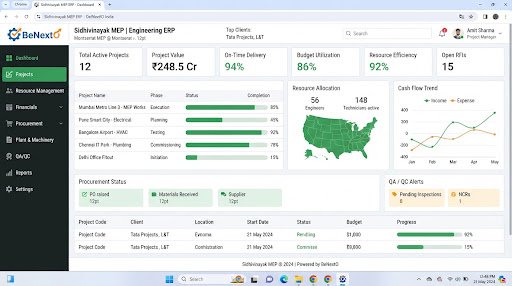
Operational Landscape Overview
Who Needs This System?
Businesses spending hours on manual data entry and report generation
Companies with complex multi-step approval processes
Teams managing data across multiple disconnected software systems
Organizations wanting to reduce human error in critical processes
Common Issues Resolved
Manual Data Re-Entry
Same data entered in multiple systems — CRM, ERP, Excel, email
Delayed Approvals
Purchase orders, leave requests, and invoices stuck waiting for manual review
Missed Notifications
Critical events (low stock, payment due, task overdue) not triggering alerts
Functional System Modules
To match your operational requirements, possible modules we can engineer include:
Process Trigger Engine
Event-based automation triggers
- Time-based triggers
- Event-based triggers
- Threshold alerts
- External webhook triggers
Approval Workflows
Multi-level digital approval chains
- Sequential and parallel approvals
- Role-based routing
- Escalation rules
- Audit trail logging
Data Sync Engine
Cross-system data synchronization
- API-based system connectors
- Scheduled data sync
- Conflict resolution rules
- Error logging and retry
Example System Workflow
Map existing manual process steps and decision points
Define triggers, conditions, and actions for each step
Build automation logic with error handling and fallbacks
Test on staging with real data scenarios
Deploy and monitor automation performance
* Note: Workflows are configured and customized strictly around your business operational patterns.
Scannable Features Matrix
Multi-Level Approvals
Configurable approval chains with escalation
Purpose: Replace email-based approvals with tracked digital workflows
WhatsApp/Email Alerts
Instant notifications on critical events
Purpose: Ensure no important trigger goes unnoticed
Cross-System Sync
Keep data consistent across ERP, CRM, and third-party tools
Purpose: Eliminate duplicate data entry
Automation Opportunities
Auto-generate reports on schedule (daily, weekly, monthly)
Trigger WhatsApp/email alerts on threshold breach
Sync data between ERP and CRM automatically
Auto-assign tasks based on workload and availability
Role-Based Access Controls
Admin
Configure workflows, triggers, and automation rules
Manager
Monitor workflow status, override approvals
Staff
Receive tasks, notifications, and approvals in queue
Reporting & Dashboard Areas
Automation execution logs and success rates
Average approval turnaround time
Bottleneck identification reports
System sync error reports
Generic Integration Possibilities
WhatsApp Business API
Email (SMTP/SendGrid)
Custom ERP/CRM
Razorpay webhooks
Google Sheets/Workspace
Implementation Blueprint
01 Requirement Discovery
02 Process Flow Mapping
03 Database Architecture Planning
04 User Interface Layouts Design
05 Custom Code Engineering
06 Strict QA Verification Testing
07 System Rollout Deployment
08 User Optimization
Cost Sizing Drivers
Number of workflows to automate
System integrations required
Approval chain complexity
Volume of daily transactions
Related Technical Services
Workflow Automation FAQs
Can you automate workflows that span multiple software systems?
Yes. We build integration middleware that connects your ERP, CRM, WhatsApp, email, and third-party APIs to create seamless cross-system automation.
What if our process changes after automation is built?
Since you own the source code, rules can be updated. We also build configurable rule engines where non-technical admins can adjust triggers and conditions.
Ready to Build Your Custom Workflow Automation?
Consult with our engineering architects in Pune. We deliver complete operational blueprints, schema diagrams, and milestone estimates.