
Custom HRMS & Payroll Management Software
Centralize employee attendance log entries, payroll runs, and tasks.
Quick Answer: What is a custom HRMS solution?
A custom HRMS (Human Resource Management System) is a bespoke digital platform built to coordinate employee life-cycles, shift schedules, biometric logs, and payroll calculations. It unifies operations into a single secure interface, removing manual errors and per-user monthly SaaS fees.
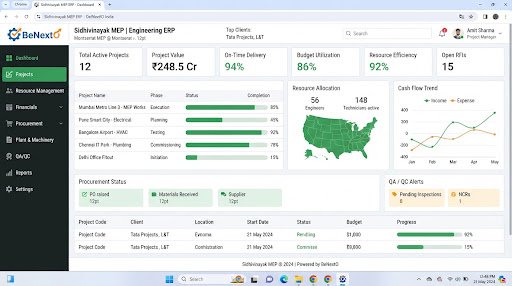
Operational Landscape Overview
Who Needs This System?
Organizations managing worker shifts across spreadsheets and paper logs
Firms losing hours calculating monthly overtime pay or salary deductions manually
Companies requiring secure databases to index employee files, documents, and contacts
Managers needing clear logs of active employee leaves and team rosters
Common Issues Resolved
Manual Attendance Audits
Checking biometric device logs against spreadsheets takes days, delaying payroll calculations.
Payroll Calculation Errors
Calculating employee salary structures, deductions, and overtime pay manually often leads to errors.
Scattered Employee Files
Contracts, identification files, and review documents are stored in disconnected folders, slowing HR access.
Functional System Modules
To match your operational requirements, possible modules we can engineer include:
Attendance & Time Tracking
Logs worker check-in times and checks hours against weekly shifts.
- Shift layout grids
- Leave approval panels
- Overtime hour alerts
Payroll Processing
Calculates variable rates, deductions, and outputs payroll sheets automatically.
- Salary slip builders
- Tax deduction templates
- Payment bank file generators
Example System Workflow
Roster Creation
HR manager sets shift schedules for staff departments.
Check-In Logs
System logs employee check-in times from biometric terminals.
Leave Submission
Worker submits leave request, notifying department head.
Approval Sync
Manager approves leave, updating attendance calendars.
Payroll Generation
System calculates salary balances, generating slips on month-end.
* Note: Workflows are configured and customized strictly around your business operational patterns.
Scannable Features Matrix
Shift Scheduler
An interface to organize weekly employee rotations and shift configurations.
Purpose: Maintains adequate department staffing.
Payroll Calculator
Calculates base salaries, allowances, professional taxes, and PF deductions.
Purpose: Automates monthly salary processing.
Leave Registry
Self-service requests for employees to view leave balances and submit requests.
Purpose: Simplifies employee administration.
Automation Opportunities
Biometric hardware logs syncing directly with employee attendance registers.
Late check-in alerts sending notifications to HR system dashboards.
Approved leave requests updating shift calendars without manual entry.
Role-Based Access Controls
HR Director
Configure salary parameters, manage employee files, adjust shift rules, and approve payroll bank lists.
Department Manager
Approve team leave requests and verify weekly work logs.
General Employee
Check shift rosters, submit leave requests, and download salary slips.
Reporting & Dashboard Areas
Roster Compliance
Analysis of employee attendance, absences, and late check-ins.
Payroll Details
Monthly breakdowns of salaries, deductions, and tax liabilities.
Leave Balances
Active counts of remaining paid and casual leaves by employee.
Generic Integration Possibilities
Biometric fingerprint/face readers APIs
Bank payment bulk files exports
Email salary slips dispatchers
Corporate calendar syncs
Implementation Blueprint
01 Requirement Discovery
02 Process Flow Mapping
03 Database Architecture Planning
04 User Interface Layouts Design
05 Custom Code Engineering
06 Strict QA Verification Testing
07 System Rollout Deployment
08 User Optimization
Cost Sizing Drivers
Biometric log sync protocols
Complexity of employee shift rules
Volume of staff profiles to migrate
Related Technical Services
HRMS FAQs
Can we sync biometric logs directly with the HRMS database?
Yes, we integrate with your biometric terminal API to upload staff check-in logs automatically in real-time.
Does the system support Indian tax rules?
Yes, custom payroll modules can calculate Professional Tax (PT), Provident Fund (PF), and ESIC values.
Can employees access their salary slips directly?
Yes, employee self-service portals let staff view and download their monthly PDF slips.
How are overtime hours calculated?
We configure calculation rules matching your business policy to compute overtime pay based on attendance logs.
Can we track temporary contract workers?
Yes, contract worker profiles can be tracked with custom wage parameters alongside permanent staff.
Is employee database access secure?
Yes, the system enforces HTTPS protocols and role-based permissions to protect employee data.
Ready to Build Your Custom HRMS?
Consult with our engineering architects in Pune. We deliver complete operational blueprints, schema diagrams, and milestone estimates.