
Custom POS Software & Billing Checkout Systems
Retail register interfaces with custom inventory lookups.
Quick Answer: What is a custom POS solution?
A custom POS (Point of Sale) system is a high-speed billing interface designed for your specific checkout process. It connects invoice printing, barcode scanning, UPI terminal logs, and inventory updates, ensuring quick checkouts during busy retail hours.
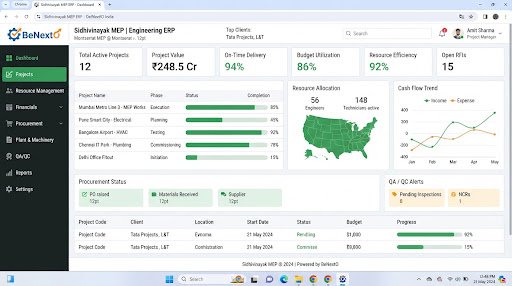
Operational Landscape Overview
Who Needs This System?
Retailers experiencing long queues at registers during peak sales times
Jewelry and retail stores requiring weight-based pricing calculations at checkout
Businesses managing multiple retail locations and stock safes on separate logs
Cashiers needing to print custom invoice formats with local tax breakdowns
Common Issues Resolved
Slow Checkouts
Traditional register software freezes during high transaction periods, leading to customer delays.
Unsynchronized Store Stock
Sales at register counters are not linked to stock levels, leading to stock discrepancies.
Inflexible Invoice Formats
Standard templates cannot print specific metal rates, gem weights, or customer loyalty details.
Functional System Modules
To match your operational requirements, possible modules we can engineer include:
Instant Billing Registry
Allows cashier lookup operations and prints customized design slips.
- Barcodes reading integrations
- Discount rule selectors
- Thermal printer drivers
Unified Stock Checks
Validates if products exist in local display cases or back-office safes.
- Multi-location syncs
- Low-stock indicator icons
- Stock transfers logs
Example System Workflow
Scan Item
Cashier scans product barcode tag at checkout register.
Fetch Price
System retrieves gold rate or item price from catalog.
Select Payment
Cashier logs card, cash, or UPI transaction details.
Print Invoice
System prints custom thermal slip, logging customer record.
Update Inventory
Database deducts item from store inventory logs automatically.
* Note: Workflows are configured and customized strictly around your business operational patterns.
Scannable Features Matrix
Dynamic Billing Interface
A fast grid designed to process transactions with minimal clicks.
Purpose: Minimizes register checkout delays.
Barcode Sync
Integrates with USB or wireless barcode scanners to retrieve product details.
Purpose: Ensures accurate checkout logs.
Rate Manager Panel
Centralized panel to configure daily metal rates or promotional discounts.
Purpose: Keeps catalog pricing accurate.
Automation Opportunities
Completed sales transactions updating stock logs immediately.
Discounts calculating automatically based on customer membership levels.
Month-end tax reports compiling sales figures without manual entry.
Role-Based Access Controls
Store Cashier
Process checkout transactions, search product catalogs, and print invoices.
Store Manager
Adjust daily metal rate entries, process returns, and audit register logs.
Finance Auditor
View sales dashboards and download monthly tax records.
Reporting & Dashboard Areas
Daily Sales
Logs of cash, card, and UPI transactions by register.
Fast Items
Ratios of top-selling products by quantity.
Register Activity
Shift summaries from register checkouts.
Generic Integration Possibilities
Barcode printers protocols
Thermal ticket printers
UPI payment terminals checkouts
Local backup databases logs
Implementation Blueprint
01 Requirement Discovery
02 Process Flow Mapping
03 Database Architecture Planning
04 User Interface Layouts Design
05 Custom Code Engineering
06 Strict QA Verification Testing
07 System Rollout Deployment
08 User Optimization
Cost Sizing Drivers
Interface design requirements for cashiers
Number of hardware device integration protocols
Database scale for retail locations
Related Technical Services
Relevant Project Execution
Nakshit Jewels
Custom Point-of-Sale billing and inventory tracking system built specifically for jewellery retail.
POS FAQs
Does the POS support barcode printers?
Yes, we integrate barcode printing modules to output tags directly from active inventory lists.
Can the POS run offline during internet drops?
Yes, we configure local database caching to queue transactions and upload logs when connections restore.
Does it support custom gold rate pricing?
Yes, managers can configure daily rates, which apply dynamically to weight calculations at checkout.
Can we link multiple register terminals?
Yes, multiple registers can sync with a central cloud database to coordinate store-wide inventory.
Is payment terminal integration possible?
Yes, we write custom integrations to log transactions directly from card swipe and UPI devices.
Can we customize invoice layouts?
Yes, invoice templates are fully customized to print your logo, terms, and tax details.
Ready to Build Your Custom POS?
Consult with our engineering architects in Pune. We deliver complete operational blueprints, schema diagrams, and milestone estimates.